

Import your devices from Excel
Add all your devices, prices and photos at once from one spreadsheet.
What you need first
- A list of the devices you take preorders for, with their prices.
Steps
Open Preorders → Control Panel and click Import CSV/XLSX.
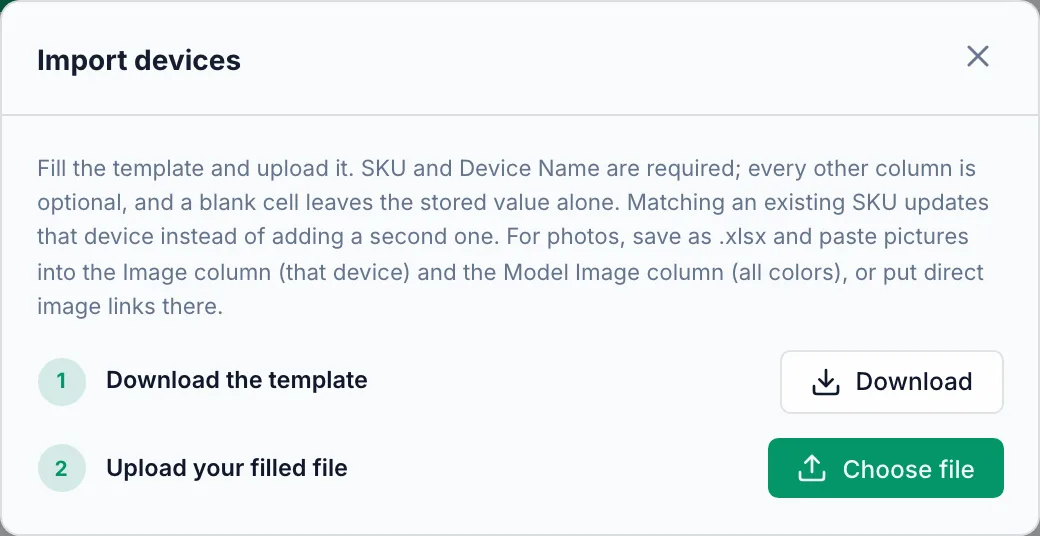
Click Download to get the template. Fill one row per device: SKU and Device Name are required, every other column is optional.
Put the storage (256GB, 1TB) and color in their own columns. The device picker asks the cashier for them in that order.
For photos, save the file as .xlsx and paste a picture into the Image column (that device) and the Model Image column (all colors together).
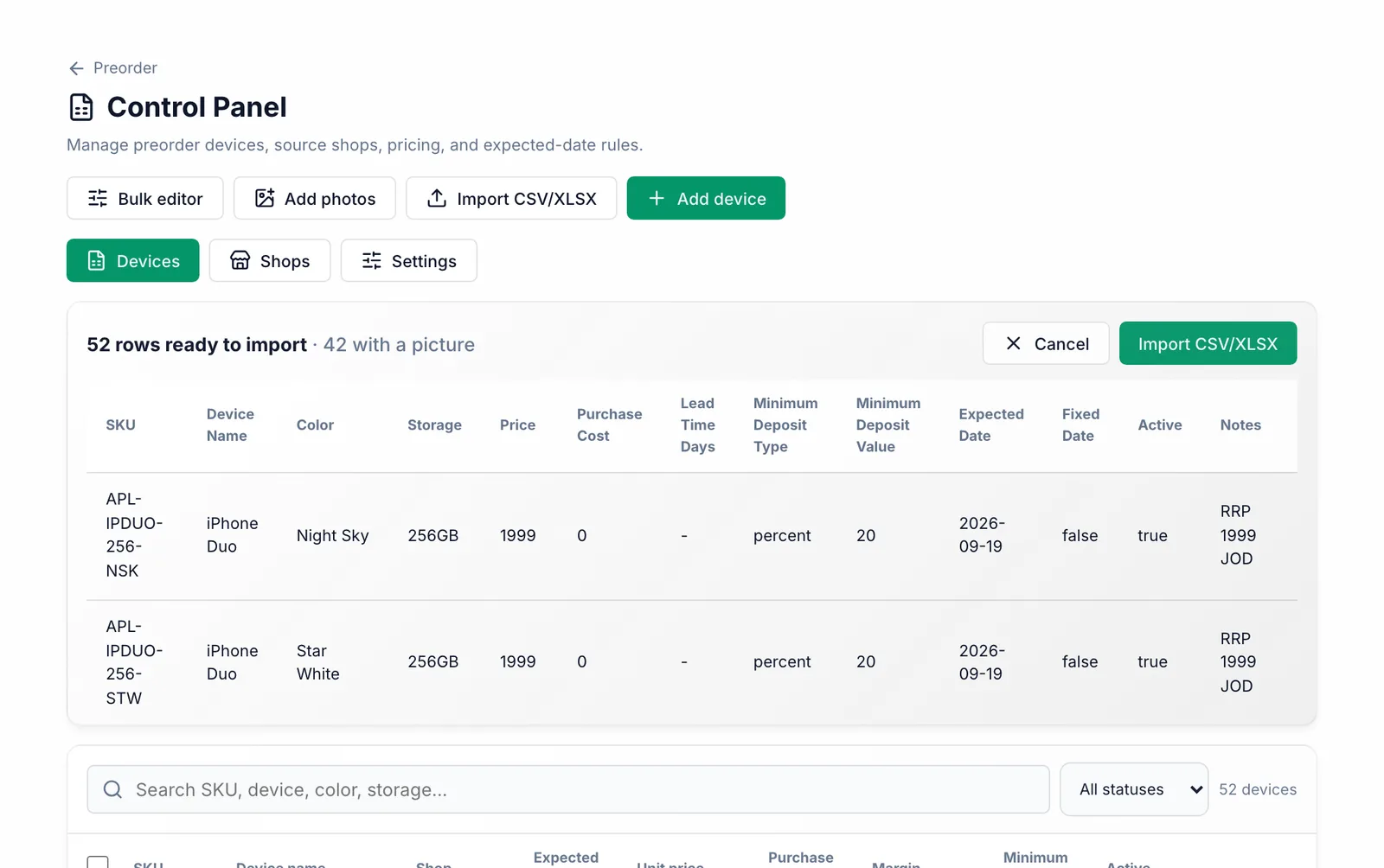
Click Choose file, pick your file, check the preview and click Import CSV/XLSX.
What you should see
The devices appear under Devices with their prices and photos, and cashiers can pick them in the preorder wizard straight away.
Common mistakes
- Importing the same SKU twice does not create a copy — it updates that device.
- An empty cell keeps what is already saved. To clear a value, edit the device instead.
- Write dates as text in the form 2026-09-19, or Excel may turn them into numbers.
- A CSV file cannot hold pictures. Use .xlsx for photos, or put image links in the Image column.