

Add device photos
Show a photo on each model and color so cashiers pick the right device at a glance.
What you need first
- Devices already in your catalog.
Steps
Every device can have two photos: a model photo with all colors together, shown when choosing the model, and its own color photo, shown when choosing the color.
For many photos at once, open Control Panel and click Add photos. Select all your photo files.
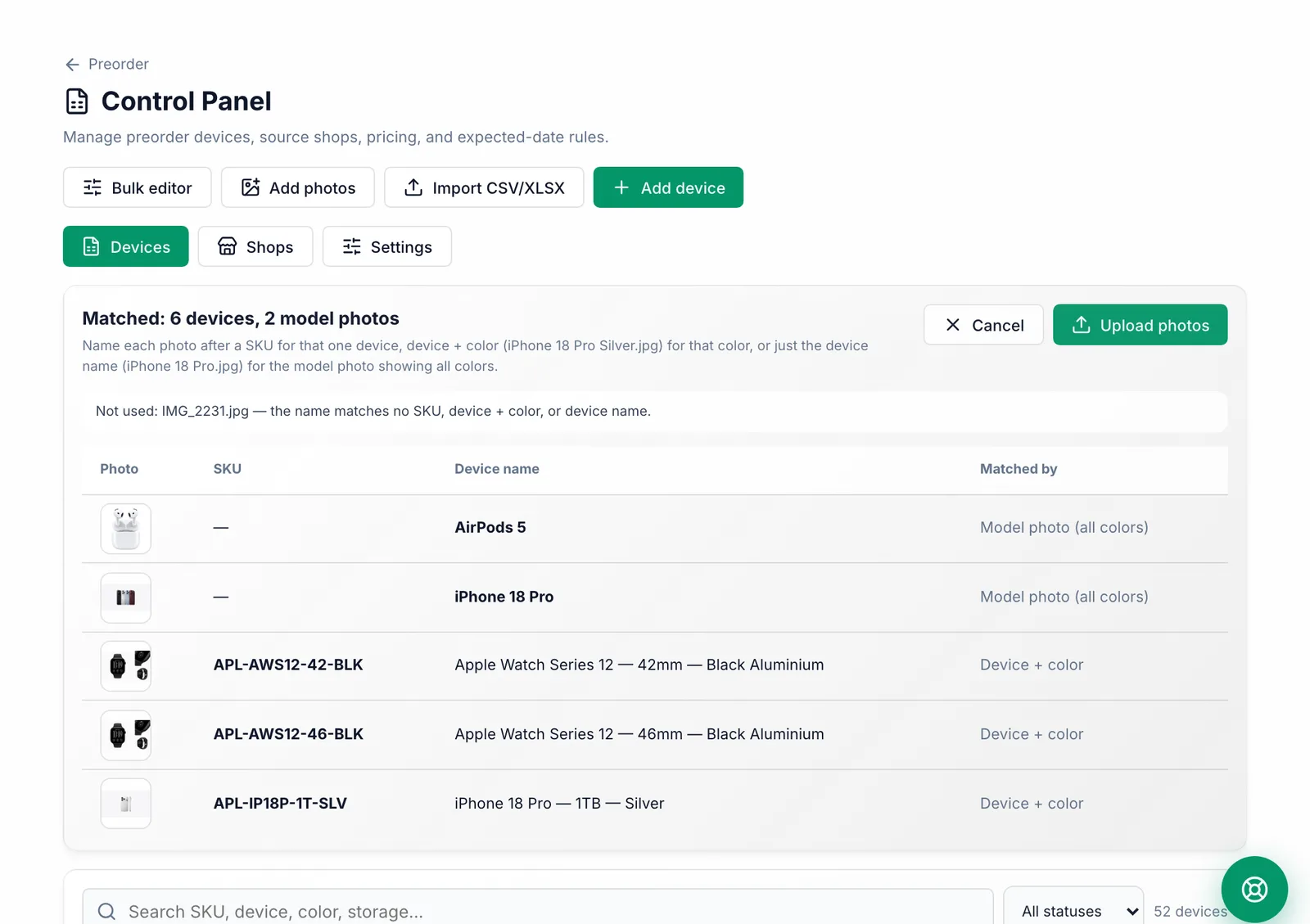

Photos are matched by file name. Name a photo after the SKU for one device, after the device and color (iPhone 18 Pro Silver.jpg) for that color, or after the device only (iPhone 18 Pro.jpg) for the model photo.
Check the list of matches, then click Upload photos. Files whose names match nothing are listed so you can rename them.
For a single device, click edit on it and use Upload photo or Model photo.
What you should see
The photos show in the device list and on the cards cashiers tap in the preorder wizard.
Common mistakes
- Keeping the file names from the website (like s12-case-select-202609.jpeg). Rename them to the device name first.
- Photos larger than 5 MB are made smaller automatically before they upload.